In their family, Nana was the sun. Every holiday, every story, every recipe somehow came back to her. So when her 80th birthday approached, everyone agreed: it had to be special.
They also agreed on absolutely nothing else.
- The cousins wanted a slideshow with embarrassing baby photos.
- The siblings argued about budget and guest list.
- One uncle thought a restaurant would be “easier.”
- Nana, when asked, just said, “I don’t want anyone to go to any trouble,” which helped exactly no one.
After one especially unhinged email thread, Maya (the eldest granddaughter) quietly made a LunaBoard and titled it: “Nana’s 80th - Stories, Not Stress.”
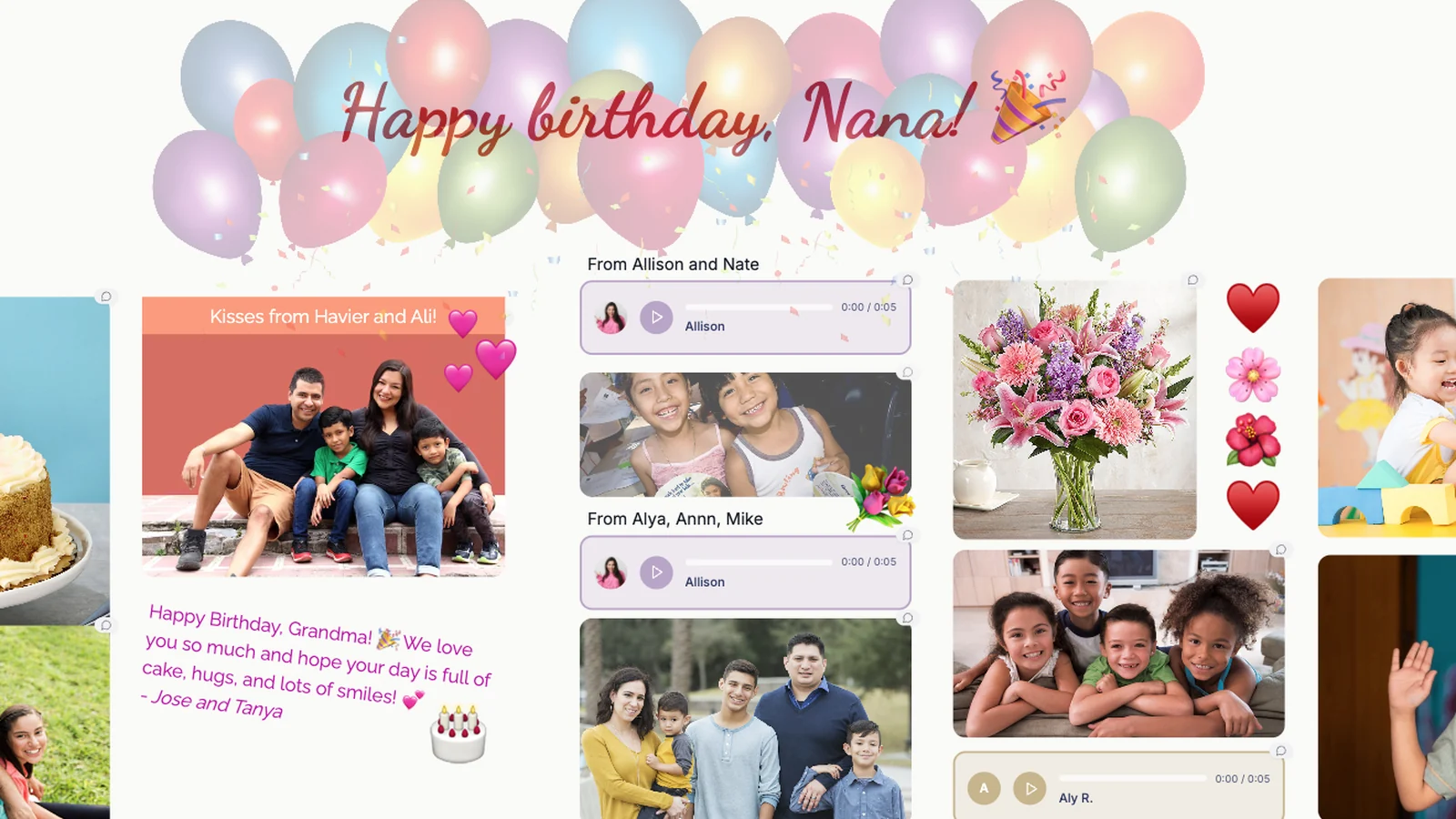
Step 1: Start With Who You’re Celebrating, Not What You’re Doing
At the top of the board, Maya added three headings:
- “Who Nana Is to Us”
- “What She Loves”
- “What Would Make This Feel Like Her”
Then she invited everyone - siblings, cousins, even tech-savvy great-aunts.
Responses started pouring in as sticky notes and images:
- “She always feeds everyone first and herself last.”
- “She loves plants more than fancy decor.”
- “She sings along to old boleros when she thinks no one is listening.”
Photos appeared:
- Nana holding newborns
- Nana in her garden, hands in the dirt
- Nana at a tiny kitchen table with five extra chairs squeezed in
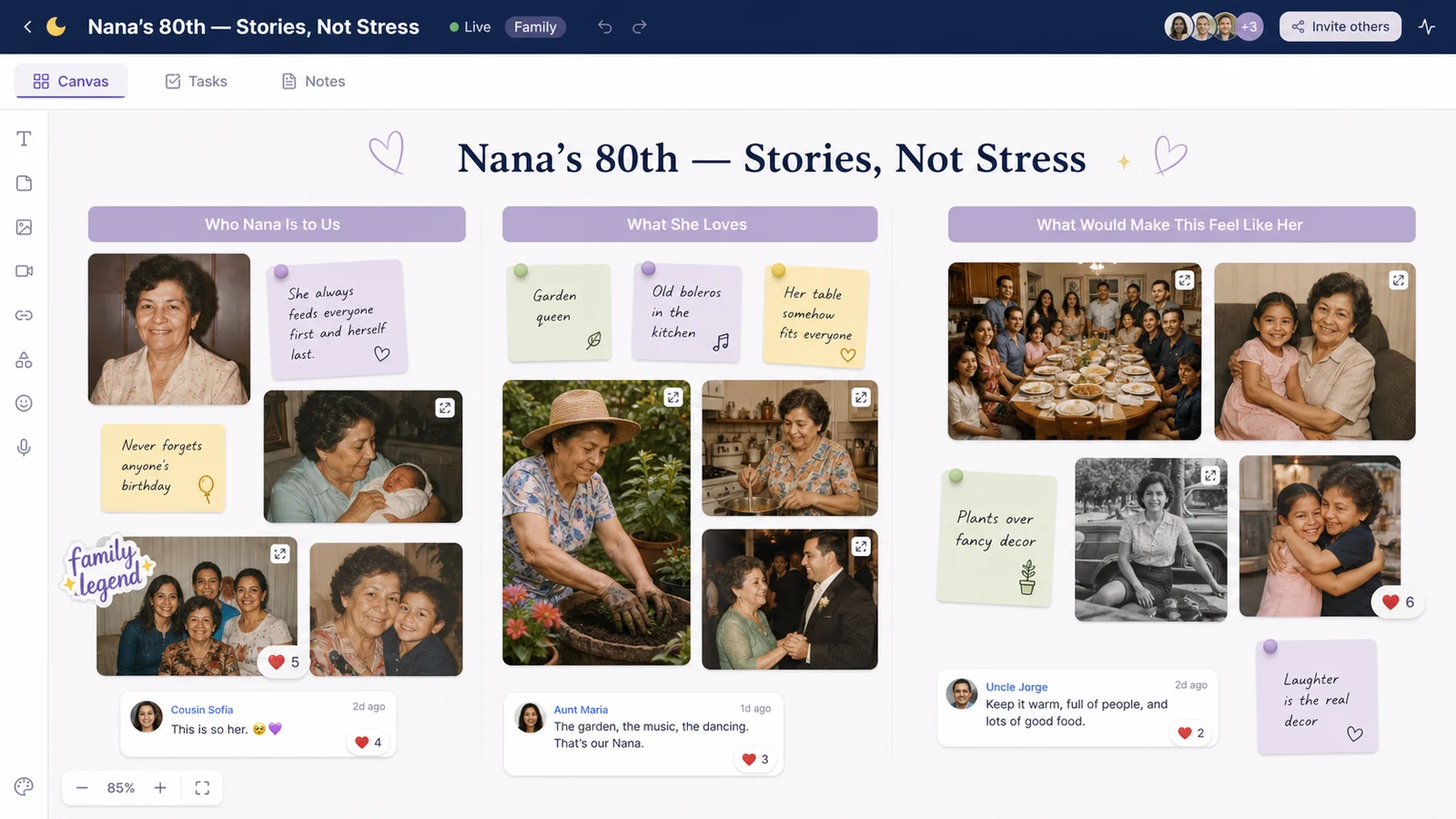
Before venues or cakes, they had a visual love letter.
Step 2: Build the Celebration Around Moments, Not Just Logistics
Next, they created four sections:
- “Before Guests Arrive”
- “First Hour”
- “Middle of the Party”
- “Closing & After”
Under each, they brainstormed moments they wanted:
- Before guests: a quiet room where Nana could sit and take it in, not be ambushed
- First hour: a welcome toast and a “walkthrough” of memory boards
- Middle: food, music, conversation - not a rigid program
- Closing: a surprise video montage and a group photo
Ideas landed under each:
- A “timeline wall” of photos by decade
- A table with her favorite snacks and recipes printed beside them
- A corner with a screen that could play voice/video messages from family who couldn’t travel
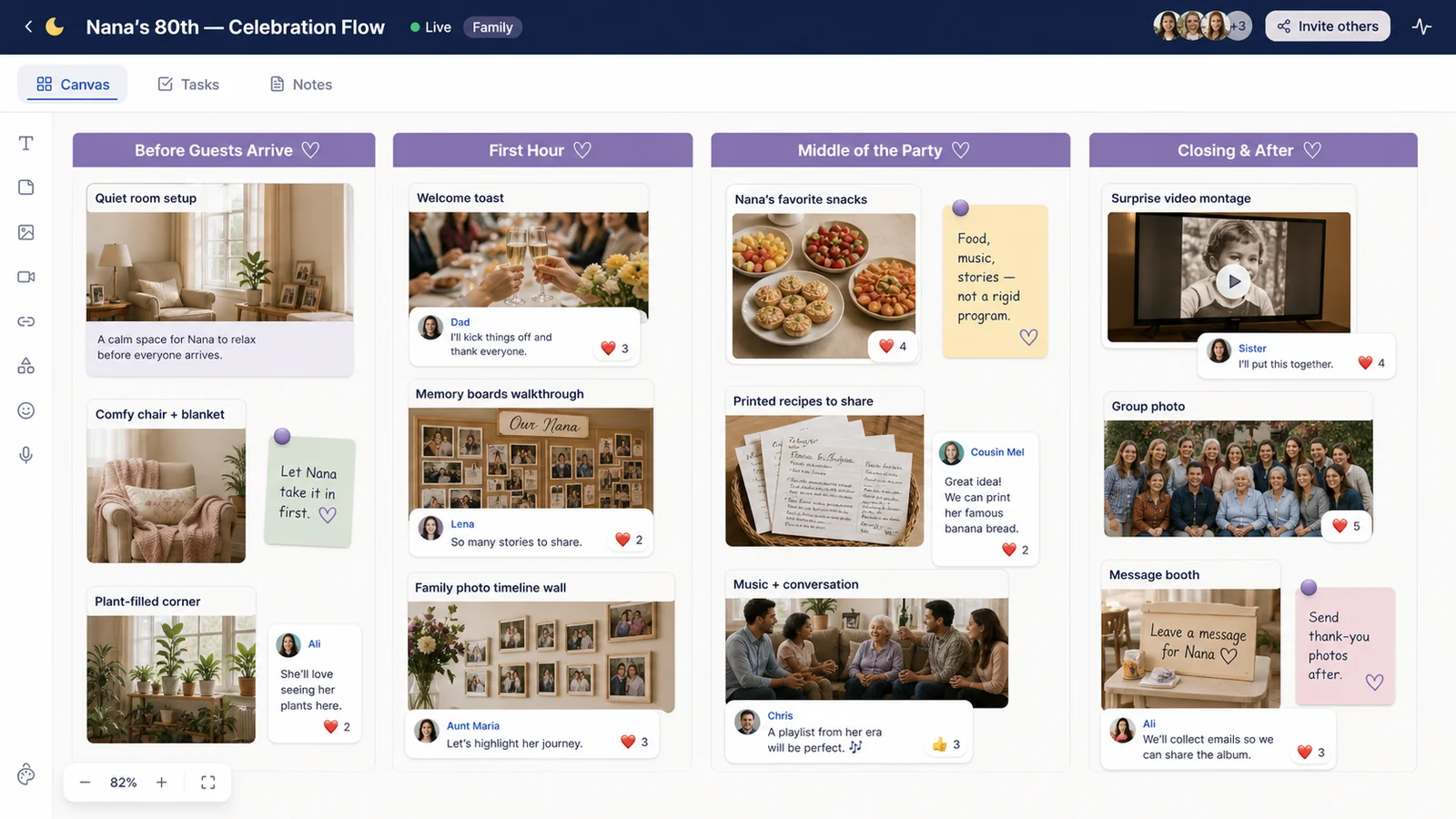
They stopped arguing about buffets vs. plated dinners and started asking, “Where does this moment fit in the day?”
Step 3: Use the Board as a Memory Collection Machine
The most powerful part happened quietly over a few weeks.
Maya added a “Photos & Videos for the Night” section and wrote: “Drop any photos, short videos, or voice notes about Nana here. We’ll use them for a montage & printed boards.”
People contributed:
- Old scanned photos from shoeboxes
- iPhone clips of kids saying “Happy Birthday, Nana!”
- A voice note from a cousin overseas sharing the story of how Nana helped her through a breakup
Maya dragged each into rough categories:
- “Nana the Mom”
- “Nana the Friend”
- “Nana the Chaos Coordinator”
- “Nana & Her Garden”
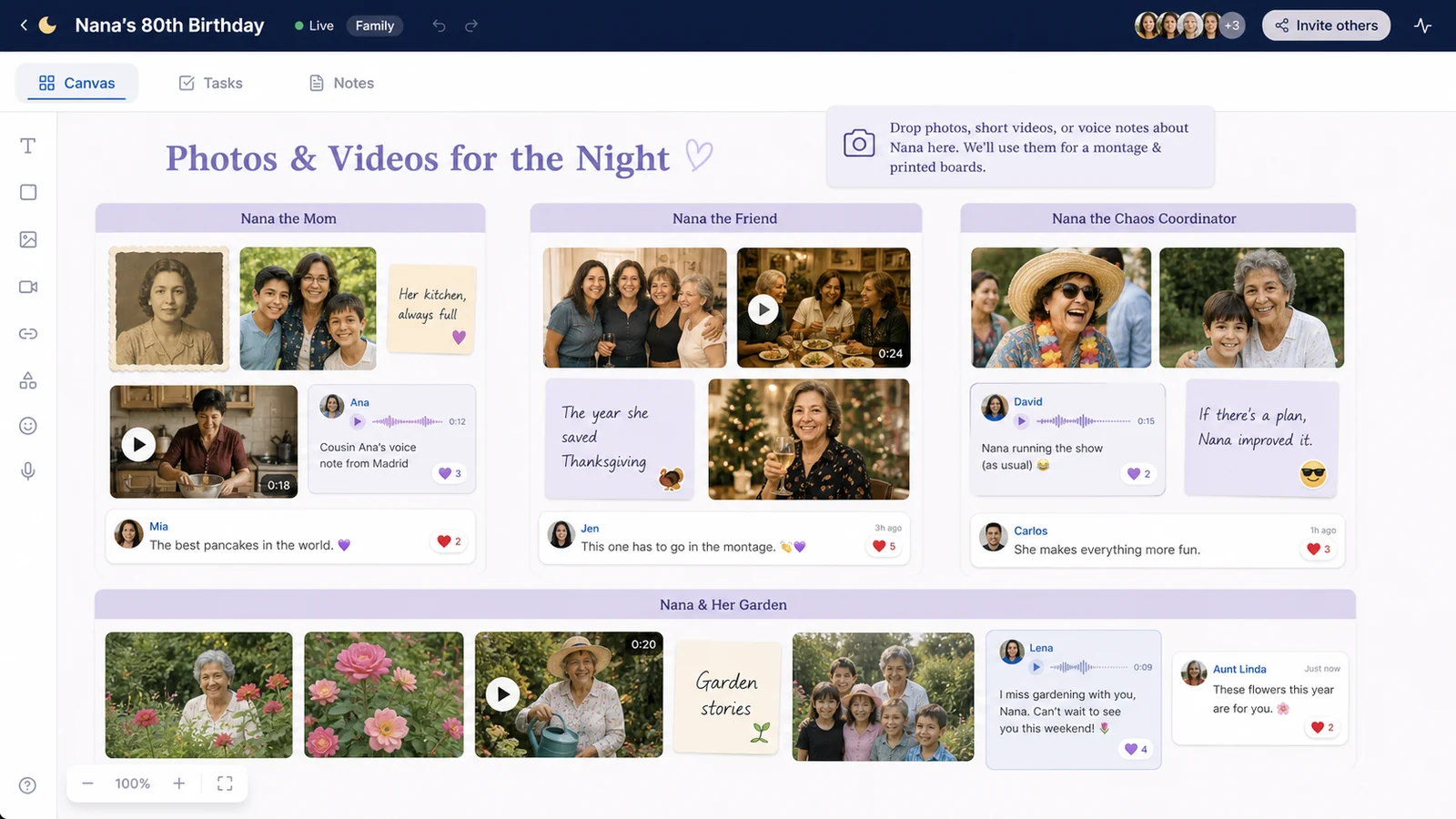
The board slowly became a digital archive of her life - even before the party happened.
Step 4: Plan Decor and Tech Without Losing the Heart
There were logistics to handle, of course.
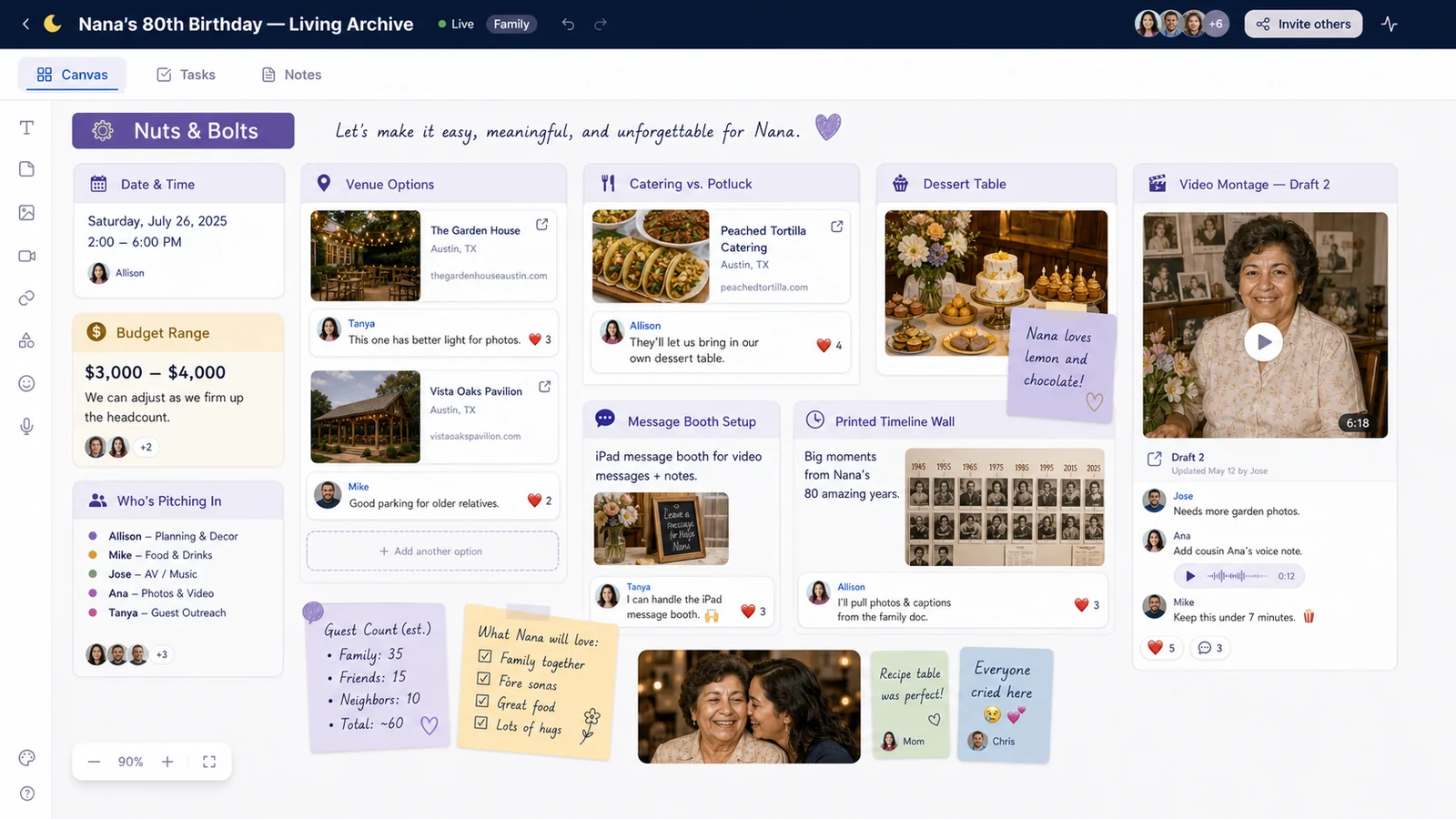
They added a small “Nuts & Bolts” column:
- Date, time, and venue options
- Budget range and who was pitching in
- Catering vs. potluck decisions
Links to potential venues and caterers went here, with comments like:
- “This one has better light for photos.”
- “They’ll let us bring in our own dessert table.”
But every time someone got stuck in the weeds, they zoomed back to the top: “What would make this feel like Nana?” It became the decision filter.
On the tech side:
- One cousin claimed “video montage” duty, dropping in rough drafts as they went
- Another volunteered to manage a “message booth” at the party - a corner where guests could record quick clips on an iPad for Nana to watch later
The Night It All Came Together
On the day of the party:
- Guests entered past a line of foam boards printed with collages from the LunaBoard.
- A screen in the corner cycled through photos and video messages.
- Nana sat in a big, comfy chair near her plant-filled “throne,” not shoved behind a cake table.
At one point, her best friend of 50 years stood in front of the timeline wall and said, “I remember this day,” pointing at a faded picture of a crowded kitchen. Five people joined her. Stories spilled out.
Later, when the video montage played - featuring clips and voice notes they’d collected on the board - Nana laughed, cried, and kept saying, “I didn’t know you remembered that.”
After everyone went home, Maya added:
- Photos from the night onto the original clusters
- A new text block: “Nana, 80+ - To Be Continued”
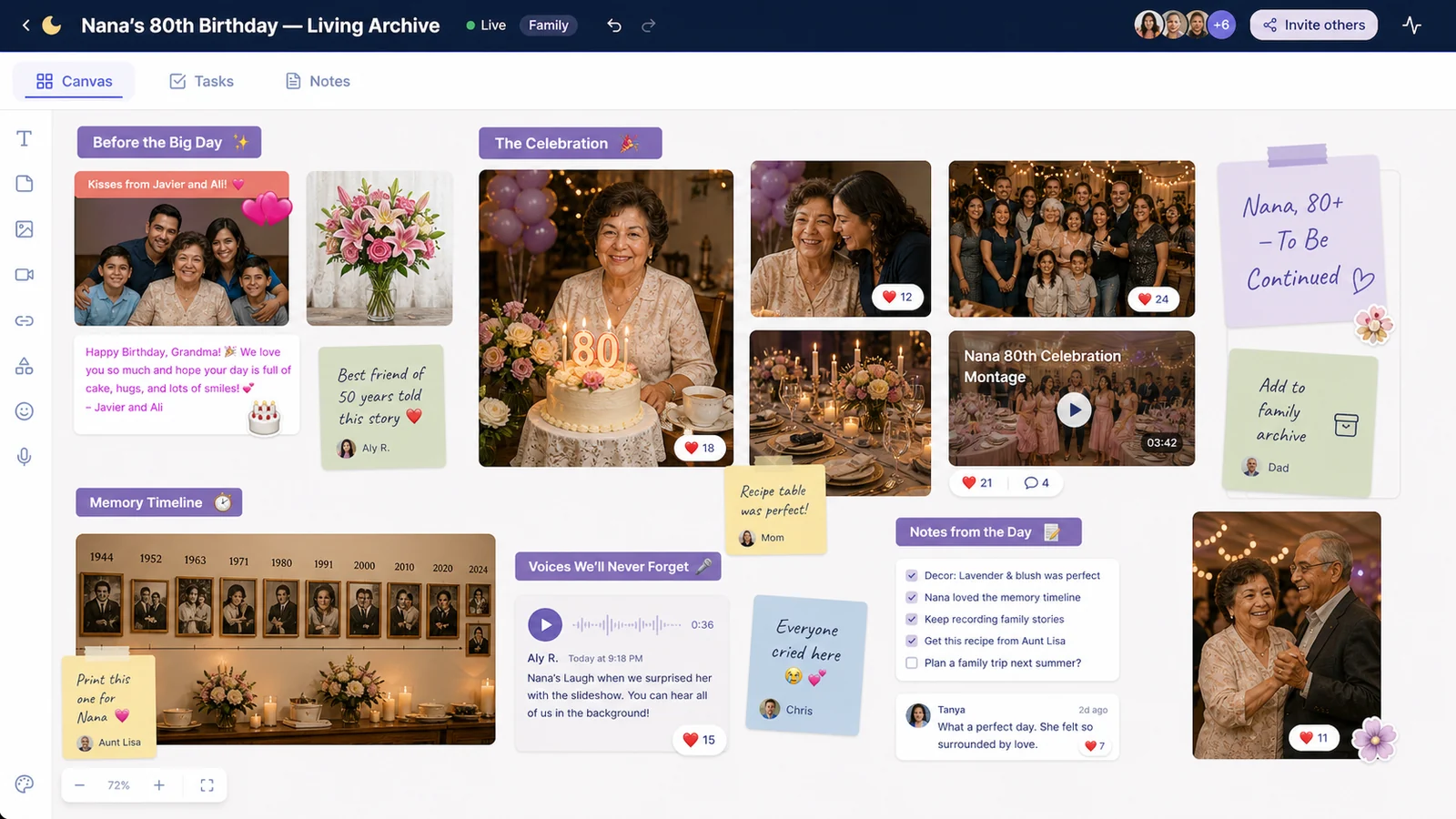
The board didn’t end with the party. It became a living family archive.
Frequently Asked Questions
What is a family celebration vision board?
It’s a digital space where your family collects memories, ideas, logistics, and love for a specific event - like a milestone birthday - so everyone can contribute and see the plan take shape.
How do we stop planning from turning into a control war?
Start with “Who is this for, and what do they love?” Make that section sacred. When you disagree about details, you can point back to that and ask, “Which option fits this person better?”
Can older relatives use a digital board?
Some can and some won’t want to. That’s okay. Tech-comfortable relatives can upload things on their behalf - text them photos to approve, record their stories via phone calls, then add them in.
What happens to the board after the party?
You can keep it as a digital scrapbook, add photos and notes from the event, and reuse it as a template for future milestones. It becomes a family tradition, not just a one-off project.
Conclusion & Gentle Next Step
For Nana, the best part of her 80th wasn’t the cake or the decorations. It was seeing, all at once, how deeply her life had woven through everyone else’s.
If your family is staring down a big birthday and a bigger pile of opinions, try giving the celebration a shared canvas. Start a “For [Name]” board in LunaBoard, invite the people who love them, and see what you create together.